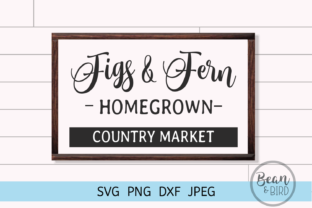
Crafting a Country Market Aesthetic with Digital Design Files for Cricut and Silhouette
The charm of a country market—hand-lettered signs, rustic typography, vintage illustrations of farm animals, mason jars, wildflowers, and heirloom vegetables—has found a vibrant new home in the world of digital crafting. For makers, small business owners, and hobbyists alike, the ability to translate that warm, agrarian feel into tangible projects has never been more accessible, thanks to downloadable design files. These aren't just clip art; they are precision-cuttable assets designed to work seamlessly with cutting machines like Silhouette and Cricut, as well as for high-quality print applications.
Whether you are preparing for a seasonal market booth, designing product labels for a homemade jam line, or creating personalized gifts for a farmhouse-themed wedding, understanding how to leverage SVG, DXF, PNG, and JPEG files can transform your workflow. The country market style is inherently tactile and nostalgic, and digital downloads allow you to reproduce that tactile quality with remarkable consistency across multiple materials—from kraft paper and adhesive vinyl to heat transfer film and chipboard.
Why Digital Design Files Fit the Country Market Vibe
The country market aesthetic is defined by its warmth, simplicity, and connection to the land. Think weathered wood signs, script lettering that reads "Farm Fresh Eggs," silhouettes of sunflowers or roosters, and soft, muted color palettes. Recreating these elements by hand can be time-consuming and difficult to replicate at scale. Digital design files solve this by providing a ready-to-use foundation that you can customize, resize, and output to a variety of media.
A well-curated collection of country-market-themed downloads often includes everything from intricate wreaths of wheat and berries to bold, cuttable text phrases like "Gather" or "Homegrown." Because SVG and DXF formats maintain clean vector paths, they cut smoothly on compatible machines without jagged edges or broken lines. The PNG files (with transparent backgrounds) are ideal for layering in mockups or for sublimation printing, while JPEG versions allow for quick use as printable artwork or labels. Notably, watermarks and logos are stripped from the purchased files, so your finished product looks professional and brand-ready.
Understanding the File Formats for Your Projects
Before diving into a project, it helps to know what each file type does best. The four formats commonly included in a country market design bundle serve distinct roles in the crafting pipeline.
SVG Files: The Cutting Machine Standard
Scalable Vector Graphics (SVG) are the backbone of modern digital die-cutting. Because they are resolution-independent, you can scale a country market barn silhouette from a 2-inch sticker to a 12-inch wall decal without losing detail. SVG files preserve layers and colors in some design software, which is useful if you want to separate a multi-layered design—for instance, a pumpkin with a separate stem piece. For Cricut and Silhouette users, SVGs import directly into Design Space or Studio and are ready to cut with a single click.
DXF Files: Precision for Legacy Software
DXF (Drawing Exchange Format) files are an older vector standard, but they remain highly reliable for users of Silhouette Studio (especially the Basic Edition) or other CAD-adjacent software. Unlike SVG, DXF files often flatten layer information, but they excel at preserving crisp geometry. If you are cutting a complex country market floral border on a machine that prefers DXF, you will get clean, uninterrupted cut lines. Many crafters keep a DXF copy as a fallback in case their software version has trouble parsing an SVG.
PNG Transparent: Layering Without Backgrounds
A high-resolution PNG file with a transparent background is invaluable for two primary use cases: sublimation and digital mockups. For example, if you are heat-pressing a country market egg carton label onto a tote bag, a transparent PNG lets you place the design exactly where you want it without a white box around it. When used within design apps like Canva or Photoshop, these PNGs become instant stickers that can be arranged in collage-style packaging. They are also excellent for creating layered print-then-cut projects on a Cricut Maker.
JPEG Files: Print-Ready and Versatile
JPEGs are the workhorses of print. While they do have a solid background (usually white) unless otherwise specified, they are ideal for full-color projects where transparency is not required. Want to print a set of country market recipe cards featuring a watercolor illustration of apples? A high-resolution JPEG will give you vibrant color and smooth gradients. Many crafters use JPEG files for paper crafting, scrapbooking, and even for creating printable wall art that can be framed and sold at a market booth.
Practical Use Cases in a Country Market Setting
The real value of these digital downloads becomes apparent when you consider the specific projects that a country market vendor or enthusiast might tackle. The formats are designed to be interchangeable, but each lends itself to a particular workflow.
- Labeling and Packaging: Small-batch producers of honey, jam, or pickles need labels that convey handmade quality. Using an SVG file, you can cut custom-shaped labels from adhesive kraft paper vinyl. A PNG version of the same design can be used for sublimation onto metal lids or glass jars. The ability to reuse and resize one design across multiple label runs saves hours of manual drawing.
- Seasonal Decor and Signage: A wooden sign reading "Pumpkins & Pies" is a staple of any autumn country market display. With an SVG file, you can cut the lettering from permanent vinyl, weed it, and transfer it onto a reclaimed wood board. For a more layered look, DXF files allow you to cut multiple colors of cardstock and stack them for a 3D shadow-box effect.
- Apparel and Textiles: Heat transfer vinyl (HTV) projects have exploded in popularity. A country market design featuring a tractor silhouette or a line of wildflowers can be cut from HTV using an SVG or DXF file and pressed onto aprons, t-shirts, or market tote bags. The JPEG version of the same artwork can be printed onto iron-on transfer paper for a full-color fabric design.
- Scrapbooking and Paper Crafts: Scrapbookers often build pages around a country market theme—think photos from a farm visit, produce labels, and ticket stubs. PNG files with transparency can be dropped into digital scrapbooking templates, while JPEGs work instantly for print-and-cut embellishments.
Who Benefits from These Design Files
The audience for country-market-themed cutting files extends far beyond the hobbyist crafter. Small business owners who sell at farmers markets or on Etsy rely on these files to maintain a cohesive brand identity across packaging, signage, and promotional materials. For them, the ability to download a complete set of files (SVG, DXF, PNG, JPEG) means they can start producing immediately without hiring a graphic designer for every small iteration.
Educators and workshop leaders also find these files useful for teaching design-to-production workflows. A classroom project might involve students selecting a country market motif, importing it into design software, adjusting scale for a specific material, and then operating a cutting machine. The files serve as a controlled starting point that allows learners to focus on the technical skills of weeding, transfer, and assembly.
Hobbyists and home decorators appreciate the low-cost, high-impact nature of digital downloads. A single purchase can yield enough variations of a design to outfit an entire kitchen with matching jar labels, drawer decals, and a welcome sign. Because the files come without watermarks or branding, the final product feels personal and handmade, even though it was precision-cut by a machine.
Considerations When Working with Country Market Designs
Even the best digital files require some thought to achieve professional results. The country market style often relies on intricate details—thin stems on flowers, delicate script fonts, or fine lines in an etching-style graphic. When cutting these designs, material choice matters. For intricate SVG cut paths, a high-quality adhesive vinyl with a strong carrier sheet will help maintain alignment during weeding. On a Cricut Maker, using a fine-point blade and a "wasabi" or cardstock setting can prevent tearing on thin sections.
It is also worth noting that the JPEG files included in these bundles may be optimized for print rather than cut. If you are using a print-then-cut workflow, ensure that the JPEG has registration marks added in your software. Similarly, when using a DXF file for a multi-layer project, double-check that each piece is a closed shape and that there are no overlapping lines that could cause the machine to cut twice in the same spot.
Another observation from frequent users: keeping a curated folder organized by theme (e.g., "Country Market - Fall Harvest," "Country Market - Farm Animals") saves significant time when you are preparing for a busy market season. Since these files are often bundled with multiple variations, it helps to preview each one before importing to avoid slowing down your design software with unnecessary assets.
Integrating Digital Files into a Broader Creative Workflow
Many creators do not stop at just one application. A single country market design might begin as a layered SVG cut for a wooden sign, then later be used as a PNG overlay on a social media post promoting a market stall, then finally printed as a JPEG onto craft paper for gift tags. The versatility of receiving all four formats in one download supports this kind of multi-channel use. This is especially relevant for business owners who need to maintain a consistent look across physical products and digital content.
For those who use design software like Adobe Illustrator or Affinity Designer, the SVG files can be further modified—changing colors, rotating elements, or combining multiple SVGs into a new composition. The DXF format, though less editable in some respects, is often the most reliable for direct export to older cutting machines or to laser cutters used for making stencils or wooden signs. The PNG transparent files bridge the gap between digital and physical by allowing for instant mockups on product photography.
A practical tip: when using PNG files for sublimation, ensure your print settings match the paper type (sublimation transfer paper) and that you mirror the image if required by your printer. This step is often overlooked, but it is critical for text-heavy country market designs where reversed lettering would be unusable.
Real-World Observation: A Market Vendor's Experience
Consider a vendor who sells handmade candles at a weekend country market. They previously hand-painted labels on each jar, which limited their production to about 30 units per week. After investing in a set of digital cutting files—SVG for vinyl labels, PNG for direct-to-glass printing—they scaled to over 150 jars per week while maintaining the same rustic aesthetic. The SVG files gave them consistent cut lines for clear vinyl labels, and the PNG files allowed them to offer a line of printed glass candles with intricate floral designs that would have been impossible to hand-paint. This is a concrete example of how a digital download bundle directly impacts productivity and revenue.
Another observation comes from a craft educator who runs workshops on farmhouse decor. She notes that students often struggle with the concept of vector versus raster, but when they see a single SVG file cut a perfect silhouette of a country barn at three different sizes, the advantage becomes immediately tangible. For her, the inclusion of both SVG and DXF in a single download eliminates the need to convert files between sessions, streamlining class preparation.
Selecting Files That Reflect Authentic Country Market Style
Not all digital design downloads capture the genuine warmth of a country market. The best collections feature hand-drawn or carefully digitized elements that avoid looking overly corporate or sterile. Look for files that include natural imperfections—slightly uneven script, organic leaf shapes, and muted color palettes in the preview images. The SVG and DXF paths should be clean enough to cut at small sizes (1 inch or smaller) without breaking, which is a hallmark of a well-made vector design.
When browsing bundles, pay attention to whether the PNG transparent files are high-resolution (at least 300 DPI). A low-resolution PNG will appear pixelated when printed at larger sizes, which undermines the handcrafted feel of the country market look. JPEG files should similarly be saved at high quality, as compression artifacts can degrade the rustic charm of a watercolor wash or a chalk-style texture.
Finally, remember that display versions (watermarked previews) are used solely for browsing—your downloaded files are clean and ready for commercial or personal use. Always read the seller's licensing terms, especially if you intend to sell finished products made from the designs. Many country market files come with a commercial use license that allows small-scale production, which is ideal for market vendors and Etsy shop owners.
The intersection of country market aesthetics and precision digital cutting is a powerful space for creativity. By understanding the strengths of SVG, DXF, PNG, and JPEG formats, you can turn a single design into a cohesive suite of products—from cut vinyl signs to printed labels to sublimated textiles. The result is a professional, warm, and repeatable brand presence that honors the spirit of a country market while embracing the efficiency of modern crafting technology.