Coffee Mug Mock Up 11 Oz Sublimation Cup: A Practical Evaluation for Designers
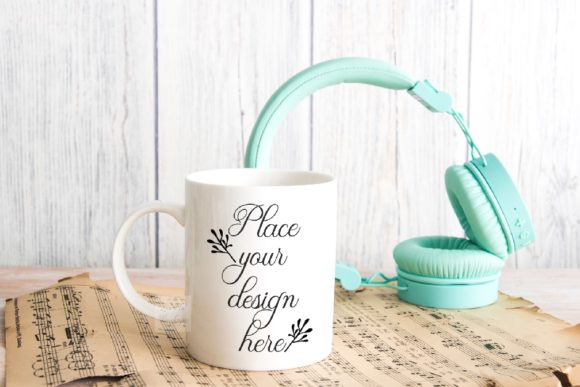
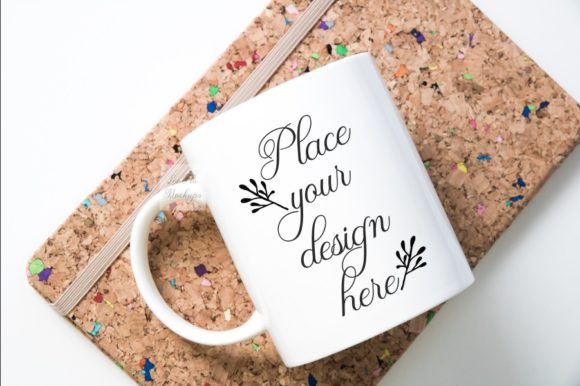
For designers, product photographers, and online sellers, the process of presenting a two-dimensional design on a three-dimensional object can be a persistent challenge. The Coffee Mug Mock Up 11 Oz Sublimation Cup is a digital file that aims to bridge that gap by providing a ready-made, realistic scene. This mock-up package includes one high-resolution JPG and one PSD file featuring a smart object layer, allowing you to place your artwork onto a standard 11-ounce sublimation mug. The scene itself is a real photograph with a minimal, neutral, rustic aesthetic, designed to showcase your work without visual clutter. This article evaluates the practical aspects of using this specific mock-up, helping you decide whether it aligns with your design workflow and presentation goals.
Understanding the Core Features of the Mock-Up
Before integrating any tool into your workflow, it is essential to understand precisely what you are working with. The Coffee Mug Mock Up 11 Oz Sublimation Cup is delivered as a digital download. You will receive one 300 dpi JPG image (3600 x 2400 pixels, RGB) and one PSD file with a single smart object layer. The instructions are provided in a separate JPG help file, and the PSD is designed to be opened in Photoshop CS4 or later, or in free online editors such as PIXLR. The mock-up is a real photo scene, meaning the cup and the background are captured together on the same layer. This is a simple, one-smart-object mock-up, with the design layer set to the multiply blend mode.
Technical Specifications and What They Mean for You
The 300 dpi resolution and 3600 x 2400 pixel dimensions are well-suited for both print-ready previews and high-quality web display. You can use the JPG for quick social media posts or portfolio snapshots, while the PSD gives you the flexibility to swap designs. However, the fact that the cup and background are on the same layer means you cannot reposition the mug, change the backdrop independently, or isolate the cup for use in another scene. This is a fixed composition. The smart object layer uses the multiply blend mode, which works best with designs that have a transparent background and are intended to interact with the underlying shadows and highlights of the mug. This is a common and effective technique for sublimation mock-ups, but it does require your design to be prepared accordingly.
Why Designers and Sellers Are Interested in This Mock-Up
The primary appeal of the Coffee Mug Mock Up 11 Oz Sublimation Cup lies in its simplicity and specific aesthetic. Many users are drawn to the minimal, neutral, rustic soft style of the scene. This look is currently popular for wedding text displays, vintage illustrations, and brands that favor a natural, understated visual identity. The mock-up is marketed for commercial use on social media, blogs, Instagram, shops, and web design presentations, provided you do not resell or share the mock-up file itself. For someone who needs a quick, attractive, and consistent way to present mug designs without staging a photoshoot, this product offers a straightforward solution.
Benefits of Using This Specific Mock-Up
- Immediate Visual Context: The real photo scene provides realistic lighting and shadows, giving your design a professional, finished look without additional editing.
- Time Efficiency: Placing your design into the smart object takes seconds once you are familiar with the process. This is significantly faster than photographing a physical mug each time.
- Consistent Brand Presentation: Using the same mock-up across all your product images creates a cohesive look for your online store or social media feed.
- Commercial Versatility: The license allows you to use the output images for commercial purposes such as product listings, marketing materials, and portfolio pieces. This makes it a practical tool for small businesses and freelance designers.
Tradeoffs and Important Considerations
No tool is perfect for every situation, and understanding the tradeoffs of the Coffee Mug Mock Up 11 Oz Sublimation Cup will help you decide if it meets your specific needs. The most significant limitation is the fixed composition. Because the cup and background are on the same layer, you cannot adjust the placement of the mug within the frame or modify the background separately. If your brand uses a specific color palette or requires a plain white background for e-commerce platforms like Amazon or Etsy, this rustic scene may not be suitable. You would need to look for a mock-up with an isolated mug on a transparent or editable background.
Additionally, the smart object layer uses a multiply blend mode. While this produces excellent results for many designs, it assumes your artwork has a transparent background. If your design includes a solid white or colored background, the multiply effect will cause it to interact with the mug's texture and shadows in ways that may not look correct. You may need to extract your design from its background before placing it into the smart object. This adds an extra step to your workflow. Furthermore, the mock-up only includes one smart object layer, meaning you can only place one design on the mug. If you need to show multiple designs or variations in a single image, you would need to create separate files or composite them manually.
Scenarios Where This Mock-Up Is a Strong Fit
The Coffee Mug Mock Up 11 Oz Sublimation Cup is an excellent choice when your presentation goals align with its strengths. It is particularly well-suited for:
- Social Media Content: If you regularly post design previews on Instagram or Pinterest, the rustic, soft aesthetic is highly engaging for lifestyle-oriented audiences.
- Blog Posts and Web Design: For designers who need a clean, attractive image to illustrate a blog tutorial or a web design portfolio piece, this mock-up provides a polished look without distractions.
- Wedding and Vintage Design Presentations: The neutral background complements elegant, minimalist, or vintage-style artwork, making it ideal for showing custom wedding mug designs.
- Quick Proofing for Clients: If you need to show a client a realistic preview of their design on a mug, this mock-up provides a professional result in minutes.
When Alternatives Are Worth Considering
There are several situations where a different type of mock-up might serve you better. If any of the following apply, consider looking for alternatives that offer more flexibility:
- You Need an Editable Background: If your online store requires a white or branded background, a mock-up with the mug on a separate layer or with a transparent background is necessary.
- You Require Multiple Angles: This mock-up shows only one view of the mug. If you need front, back, and side views for a product listing, you will need a set of mock-ups or a 3D rendering solution.
- Your Design Has a Solid Background: If your artwork includes a non-transparent background, the multiply blend mode will not produce clean results. You may need a mock-up that uses a different blend mode or offers a normal layer option.
- You Want to Show the Mug in a Different Setting: The rustic wood or neutral backdrop is fixed. If your brand aesthetic is bright, modern, or urban, this scene may clash with your style.
Practical Decision-Making Insights for Buyers
When evaluating whether the Coffee Mug Mock Up 11 Oz Sublimation Cup is right for you, start by considering your primary use case. Ask yourself the following questions:
- What is my typical output platform? If you are primarily sharing images on social media or blogs where lifestyle aesthetics matter, this mock-up is a strong match. If you are uploading to an e-commerce platform with strict background guidelines, look for a more flexible option.
- How much control do I need over the scene? If you are comfortable with a fixed composition and want to save time, this mock-up is efficient. If you often need to adjust lighting, background colors, or mug placement, invest in a mock-up with separate layers or a fully editable scene.
- Do my designs have transparent backgrounds? If you typically work with PNG files or vector art that can be exported with transparency, you will get the best results from the multiply layer. If your designs are often JPG files with solid backgrounds, be prepared to do extra prep work or choose a different mock-up.
- Am I willing to learn the PSD workflow? Although the process is simple, it does require opening the PSD file, locating the smart object, and pasting your design. If you prefer a web-based tool that requires no software, the PIXLR option works, but you should test it first to ensure compatibility.
Aligning the Mock-Up with Your Goals and Needs
The best tool is the one that fits seamlessly into your existing workflow while meeting your presentation standards. The Coffee Mug Mock Up 11 Oz Sublimation Cup is a purpose-built solution for designers who value a quick, attractive, and consistent way to display their work on a standard 11-ounce mug. Its rustic and neutral style gives it a distinct character that can elevate certain types of design presentations. However, its fixed composition and multiply blend mode impose limitations that may not suit everyone. By carefully assessing your own requirements for background flexibility, design preparation, and output format, you can determine whether this mock-up will save you time and improve your presentation quality, or whether you would be better served by a more customizable alternative. Ultimately, the right choice is the one that allows you to present your designs in a way that truly reflects their quality and your brand.