Mockup Romantic Mug Smart Stock Photo: A Practical Tool for Showcasing Your Designs
When you create a beautiful design for a romantic floral mug, you need a way to show it off that captures the same soft, loving feel. A simple product photo won't do if you want to connect with customers who are looking for gifts, home decor, or personalized keepsakes. That's exactly where a high-quality mockup like this Mockup Romantic Mug Smart Stock Photo comes in. It gives you a ready-made scene that evokes emotion and helps potential buyers imagine the mug in their own lives. Whether you're a small business owner, a freelance designer, or a craft seller on Etsy, having the right visual presentation can make the difference between a casual glance and a sale.
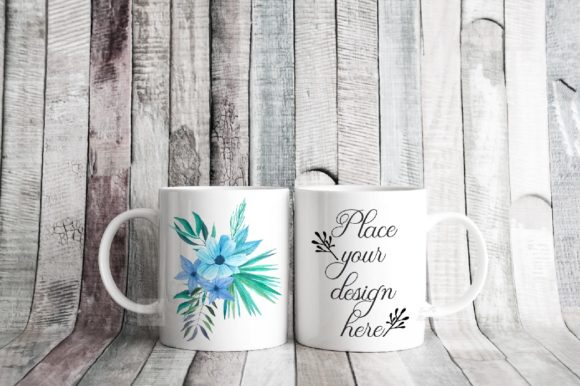
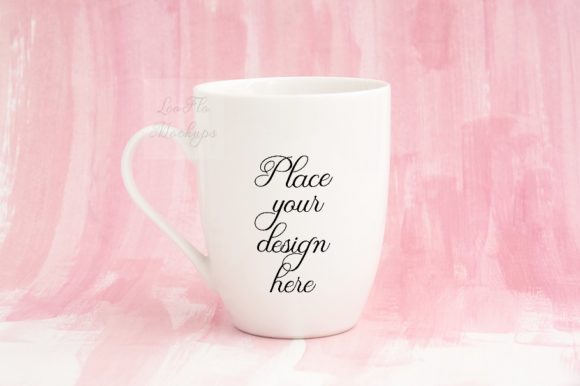
This particular mockup features a soft pink floral background and a clean white 11oz sublimation mug. The image is real — not a computer-generated render — which adds authenticity. With the included PSD file and smart object layer, you can place your own text or design directly onto the mug in just a few clicks. The result is a professional-looking lifestyle photo that you can use on social media, your website, or in product listings. But beyond the technical specs, what really matters is how this tool fits into your workflow and helps you meet your goals.
Who Needs This Mockup and What Challenges Does It Solve?
If you sell or promote mugs with romantic, floral, or soft-themed designs, you probably face a few common challenges. First, you may not have the time, budget, or photography skills to create your own high-quality product photos. Setting up a real scene with flowers, good lighting, and a clean mug requires props and editing know-how. Second, you might want to test different designs quickly without re-shooting each time. Third, consistency is key for branding — you want every product image to share a similar romantic, pink, airy aesthetic. A stock mockup solves all of these problems at once.
Small business owners who run sublimation businesses on platforms like Etsy, Amazon Handmade, or Shopify often need dozens of mockups for different designs. Without a mockup, they might resort to shooting each mug individually, which is time-consuming and rarely looks as polished. Graphic designers and print-on-demand sellers face the same issue: they need to present multiple variations to clients or customers without starting from scratch each time. This Mockup Romantic Mug Smart Stock Photo is designed precisely for those situations. It gives you a beautiful, romantic scene that appeals to gift-givers and anyone who loves soft femininity.
How the Mockup Helps You Address Those Needs
Using a smart object mockup eliminates the steep learning curve of complex photo editing. The provided PSD file works with Photoshop CS4 and later, as well as with the free online editor PIXLR. The smart object layer is set to multiply blending mode, which means your design will naturally blend with the mug's texture and lighting. This is especially important for sublimation mugs, where the design wraps around the surface and picks up subtle reflections. The multiply effect ensures that your artwork looks printed, not pasted on top.
Another major benefit is the resolution and quality. The image is 3600 x 2400 pixels at 300 dpi, which is high enough for web use as well as for print catalogs if needed. The RGB color space is standard for digital displays. That means you can post the final image on Instagram, Pinterest, or your online store, and it will look crisp and vibrant. The pink floral background adds a soft, romantic mood that aligns perfectly with Valentine's Day, Mother's Day, anniversaries, or any gift-giving occasion. If your designs feature hearts, roses, pastel colors, or sentimental quotes, this background will complement them naturally.
It's also important to understand what you are getting. The product includes one high-resolution JPG of the scene, one PSD file with a smart object layer, and a help file with instructions. The cup and the background are on the same layer, meaning you cannot move the mug around or change the background independently. This is a simple mockup — not a fully editable scene. But for most users, that's more than enough. You are buying a ready-made photo that you can drop your design into. The simplicity makes it fast to use and reduces the risk of editing mistakes.
Practical Applications and Real-World Outcomes
Think about the most common ways you would use this mockup. For an Etsy listing, you might have one main photo and several variant images. Instead of photographing each mug, you can create a mockup for each color variation or design. The romantic pink floral background will catch the eye of customers browsing for gifts. On social media, a consistent visual theme helps establish your brand identity. If you post mockups with the same soft, romantic style, followers will start to recognize your products instantly. That builds trust and makes your page look professional.
Consider a small sublimation business owner who sells custom mugs for bridal showers. They can use this mockup to display a bride-to-be's name with a floral design. The scene already says "romantic celebration." The seller can then create mockups for different names by simply exchanging the design in the smart object. This efficiency means they can launch multiple products in a single day rather than spending hours on photography. The outcome is a cohesive product line that appeals to a specific target audience.
Graphic designers working with clients can also benefit. Instead of showing a flat logo on a white background, they can present it on a realistic mug within a lifestyle scene. Clients respond better to visual context. If you are pitching a mug design for a wedding brand, this mockup can help the client envision the final product in a real setting. The 300 dpi resolution ensures the mockup can be used in printed portfolios or proposals as well.
Important Considerations for Effective Use
While the mockup is straightforward, there are a few things to keep in mind. First, because the background and mug are on the same layer, you cannot adjust the position of the mug. The composition is fixed. That means you need to choose your designs wisely — they should fit well within the smart object outline. The help file includes a screenshot showing the outline, so be sure to check that before you start. If your design has a lot of empty space or is a shape that doesn't align with the mug's curve, it may look odd. The multiply blending mode works best with designs that have some transparency or semi-transparent elements. For solid, opaque logos, you might need to experiment with the blending options.
Also, note that the PSD file uses hidden layers. The help file contains instructions for revealing them. It's essential to read the instructions before opening the file in Photoshop. Many users make the mistake of jumping straight in and then getting confused by the hidden layers. A quick read of the JPG help file will save you time. If you don't have Photoshop, you can use PIXLR online editor, which also supports smart objects and multiply blending. This makes the mockup accessible even if you are on a budget or using a Chromebook.
Another practical tip: test your design on a low-resolution copy first. That way, you can see how it interacts with the mug's texture and the lighting. The mockup is a real photo scene, so the mug has subtle highlights and shadows. Your design should not be too dark or too light; otherwise, the multiply effect might wash it out. If your design is mostly white, consider adding a slight drop shadow or increasing the contrast before placing it. Alternatively, you can duplicate the smart object and set the blending mode to normal at reduced opacity, but that requires more advanced editing. The simplest approach is to design with the mockup in mind: use colors that pop against the white mug surface, and avoid large areas of pure white that would become invisible.
Tailoring Your Approach as a Different User
Different users will get the most value from this Mockup Romantic Mug Smart Stock Photo by adapting their workflow. If you are a print-on-demand seller who frequently uploads new designs, create a template. Keep the PSD file open with the smart object layer active. Every time you have a new design, just double-click the smart object thumbnail, paste your artwork, save, and the mockup updates automatically. This process takes less than a minute per design.
If you are a graphic designer who wants to present mockups to clients, consider exporting two versions: one with the design and one without. The blank mug photo can serve as a baseline for your client to see the scene. Then you can show the finished version side by side. This builds confidence in your ability to produce realistic visuals. You might also crop the image to focus on the mug alone, if the full scene is too busy for a client presentation. However, given that the background is fixed, cropping is your best option for a tighter frame.
For Etsy sellers who emphasize handmade or personalized products, use the mockup in your listing's first image slot. The romantic pink floral background will appear in search results and attract shoppers looking for something soft and feminine. You can also use the mockup in blog posts or Pinterest pins that link to your shop. The high resolution allows you to zoom in slightly without losing quality, so you could feature a detail of the mug with the design.
If you sell mugs with text quotes, try using a cursive or script font that matches the romantic theme. The multiply blending mode will soften the edges of the text, making it look like it was printed directly onto the ceramic surface. Avoid overly bold or blocky fonts, as they may clash with the delicate floral background. A well-chosen font combined with the mockup's aesthetic creates a cohesive feel that customers love.
Final Recommendations for Getting the Most Out of This Mockup
Before you invest time in editing, open the help file and review the screenshot of the smart object outline. This will show you exactly where your design will appear on the mug. The outline may be slightly curved to match the mug's cylindrical shape. Align your design accordingly. Use a canvas size that matches the smart object dimensions for a perfect fit. If your design is too large, it will be cropped; if too small, it won't cover the mug surface properly.
Consider purchasing additional mockups from the same creator if you need different angles or backgrounds. Having a set of consistent mockups allows you to create a unified brand look. For this particular romantic floral scene, you can pair it with other soft, light-themed mockups for cups, notebooks, or apparel. Consistency across product lines strengthens your brand recognition.
One last note: because the mockup is a stock photo, you are not tied to one product. You can use the same scene for multiple mug designs over time. That is the true power of a smart object mockup — it becomes a reusable asset in your creative toolkit. Whether you are launching a new collection every season or just need a quick photo for a social media post, this Mockup Romantic Mug Smart Stock Photo provides a reliable, beautiful, and efficient solution.
By understanding its features, respecting its limitations, and applying it to your specific workflow, you can elevate your product presentation without hiring a photographer or learning advanced Photoshop techniques. The result is a professional, romantic image that speaks directly to your target audience and helps your designs stand out in a crowded marketplace.