Campfire Sublimation Spring Mug Mockup
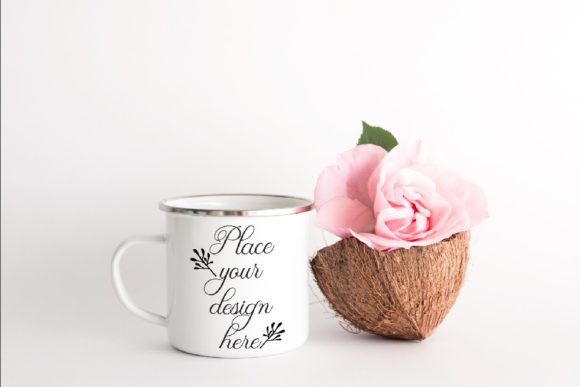
Sometimes the hardest part of launching a new design isn’t the artwork itself — it’s showing people how it will actually look once it’s on a product. That gap between a flat digital file and a real-world item can kill enthusiasm fast, especially when you’re selling something tactile like a metal camp mug. The Campfire Sublimation Spring Mug Mockup bridges that gap beautifully, giving you a ready-made scene that feels like a snapshot from a sunny afternoon picnic or a weekend hike. You get a high-res JPG and a PSD file with one smart object layer — just drop your design or text in, and suddenly your idea looks like it’s already been printed on a glossy tin cup.
When a Single Mockup Does the Heavy Lifting
Instead of building a whole photo set from scratch, this mockup hands you a complete spring tropical scene with the mug as the natural focal point. The background includes lush floral and tropical elements, so your design doesn’t sit in an empty void — it lives inside a mood. That’s huge when you’re creating content for social media, because the first impression is often the only impression. A few real situations where this mockup proves its worth:
- Listing new products in your Etsy or Shopify shop — you want potential buyers to imagine the mug in their hands, not just see a flat graphic. The natural lighting and outdoor feel make the product look authentic.
- Testing color combinations for spring collections — the floral background provides a neutral but lively palette reference. You can see whether your text or pattern pops or gets lost before sending anything to print.
- Building Instagram content for a camping or outdoor brand — one mockup photo can become a carousel post or a story background. Swap in seasonal designs throughout spring and summer without reshooting.
- Showing clients how their logo will appear on promotional merchandise — agencies and freelancers often need to present multiple mockup options quickly. This one file gives you a professional result in minutes, not days.
Who Actually Uses This Kind of Mockup?
You’d be surprised how many different people grab a mockup like this and run with it. The obvious group is print-on-demand sellers who offer custom camp mugs. But beyond that, it’s a favorite among:
- Graphic designers who need a quick way to show vintage or nostalgic illustrations. The tin cup material has a slight metallic sheen that adds character to retro artwork.
- Small business owners who make their own product mockups for social media ads. They don’t have time to learn advanced Photoshop techniques — this smart object layer literally means placing their design and hitting save.
- Event planners designing custom favors for spring weddings or outdoor parties. The tropical floral background matches a garden or beach theme naturally.
- Sublimation specialists who want to preview how colors will behave on a metal substrate before committing to a production run. The multiply blend mode on the smart object simulates how ink interacts with the surface.
What to Expect From the File and How to Use It
You’ll receive one high-res JPG at 3504×2336 pixels and one PSD file. The PSD contains a single smart object — that’s the area where you place your design or text. The instruction says the blend mode is set to multiply, which means your design will sit on top of the cup’s natural shadows and highlights, giving it a printed-on look. You need Photoshop CS4 or newer to open the PSD, but if you don’t have Photoshop, PIXLR (the free online editor) also works with smart objects. Just download the file, open it, double-click the smart object layer thumbnail, paste your design, save, and the mockup updates automatically.
A few things to keep in mind before you start:
- The cup and background are on the same layer. You cannot move the cup around or isolate it from the scene. The composition is fixed.
- The mockup only includes one smart object. If your design has multiple elements that need different placement, you’ll have to flatten and combine them before inserting.
- The multiply blend mode works best with designs that have some contrast. Light logos or text might get lost against the cup’s lighter areas, so it’s worth testing with your actual artwork.
The Strengths You’ll Actually Notice
People often praise this mockup for its simplicity — and that’s a genuine strength when you’re under deadline. You aren’t wrestling with dozens of layers or trying to match perspective. The lighting in the scene is soft and even, which means your design won’t look washed out or overly dark. The JPG alone is clean enough to use as a standalone image if you just need a quick visual for a blog post or an email newsletter. And because the file is 300 dpi, you can crop or scale it slightly without losing quality.
Limitations That Matter for Certain Projects
No tool is perfect, and this mockup has a few honest constraints. The fixed composition means you can’t rearrange the items — if you want the mug turned differently or placed on a table instead of a log, you’d need a different mockup or a custom photo. The multiply blend mode works nicely for dark and saturated designs, but if your artwork uses very light pastels or transparent layers, the effect might be subtler than expected. Also, as a single-scene mockup, you can’t show the mug from multiple angles in one file. You’d need to purchase or create separate mockups for front, back, and side views if those are needed for your product page.
Making It Work for Different Industries
One of the nice surprises with this mockup is how versatile the spring tropical background turns out to be. A florist could use it to promote a “coffee and flowers” gift set. A travel blogger might layer on destination quotes or itinerary graphics. A beverage company could test new can designs by placing them on the mug — even if the actual product is a can, the cup’s shape and material are close enough for quick visual testing. The key is to think of the mockup as a stage, not just a product photo. The background elements (leaves, blooms, warm light) set an emotional tone. You can lean into that tone or use contrast to make your design stand out.
Before You Hit Download: A Quick Checklist
Since the file is digital and delivered without a watermark, make sure your final display version is yours to use. The mockup itself is a stock photo scene — you have the license to use it for commercial projects, but double-check the terms of the shop you’re buying from. Some sellers allow unlimited use, others restrict it. Also, because the smart object applies a multiply effect, preview your design against a solid white background before inserting it. That gives you the best sense of how much of the cup’s texture will show through.
For anyone who creates products or content around spring, summer, camping, or florals, this mockup is a low-friction way to elevate your presentation without a photoshoot. One smart object, one scene, and your design instantly looks ready for the shelf. That’s the kind of practical shortcut that frees you up to focus on the creative part you actually enjoy.