How to Use a Coffee Mug Romantic Mockup for Stunning Design Presentations
When you create a design, you want to show it off in a way that feels real, beautiful, and emotionally engaging. A coffee mug romantic mockup does exactly that. It places your artwork or text onto a mug within a soft, vintage floral scene, giving your design a warm and feminine context. Whether you are a graphic designer, a small business owner, or someone who simply loves crafting, this type of mockup helps you present your work with charm and professionalism.
In this article, you will learn what a romantic mug mockup is, why it matters, how it works technically, and how you can use it effectively for social media, websites, and brand presentations. By the end, you will understand not just the how, but the why behind this beautiful tool.
What Exactly Is a Coffee Mug Romantic Mockup?
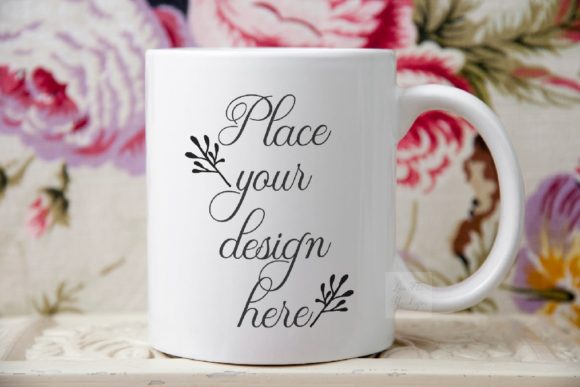
A mug mockup is a pre-made digital file that lets you place your own design onto a photo of a mug. In this specific case, the coffee mug romantic mockup features a soft, romantic, and feminine aesthetic. The background is a vintage floral scene, with delicate blooms and a gentle color palette that evokes warmth, nostalgia, and elegance.
The mockup comes as a high-resolution JPEG image (3504 x 2336 pixels at 300 dpi) and a PSD file that includes a smart object layer. The smart layer allows you to insert your design or text directly onto the mug using Adobe Photoshop (CS4 and up) or even a free online editor like PIXLR. The result looks like a professional product photo, but you created it in minutes.
It is important to note that the mug and the background are on the same layer. This means the mug cannot be moved or repositioned. The scene is a real photograph, not a composite of separate elements. This gives the image an authentic, organic feel that staged 3D renders sometimes lack.
Why Use a Romantic Mug Mockup for Your Designs?
Presenting a design in context is far more powerful than showing it on a blank white background. A mockup like this one achieves several goals at once:
- Emotional connection: The romantic floral background creates a mood. When viewers see your design in that setting, they associate it with feelings of softness, beauty, and comfort.
- Realism: Because the image is a real photograph, the lighting, shadows, and textures are natural. Your design looks like it already exists on a physical product.
- Time savings: You do not need to stage a photo shoot, buy props, or learn complex lighting techniques. The mockup gives you a professional result instantly.
- Versatility: You can use the same mockup for social media posts, website product pages, online stores, print catalogs, or portfolio pieces.
For small business owners who sell custom mugs, this type of presentation helps customers imagine the product in their own lives. For designers, it adds a layer of storytelling to your portfolio.
The Vintage Floral Aesthetic and Its Appeal
The term romantic in this context refers to a design style that emphasizes softness, delicacy, and a slightly nostalgic feel. The vintage floral background typically includes roses, peonies, lavender, or other classic flowers in muted tones. This style resonates especially well with audiences who appreciate:
- Feminine and graceful visuals
- Vintage and shabby-chic decor
- Nature-inspired color palettes
- Sentimental or gift-oriented products
Because the background is not just a generic texture but a carefully composed floral scene, it adds depth and meaning to the mug design. If your design includes quotes, monograms, or delicate illustrations, the vintage floral setting complements it perfectly. The mockup becomes more than a product display—it becomes a mood board.
Understanding the Technical Side: File Formats and Specifications
Let us walk through what you receive and what each file is for. Knowing the technical details helps you use the mockup correctly and avoid common mistakes.
JPEG Image (Hi-Res)
The package includes one high-resolution JPEG image at 3504 x 2336 pixels, 300 dpi, in RGB color mode. This is the final rendered scene. You can use this image directly for web or print, but if you want to insert your own design, you will need the PSD file. The JPEG is useful for quick previews or for use in platforms that do not support layered files.
PSD File with Smart Object
The PSD file is the heart of the mockup. It contains one simple smart layer where you can place your design. The smart object layer is clearly labeled (usually something like "Place Your Design Here"). When you double-click the thumbnail of that layer, a new window opens. You paste your design into that window, save it, and the mockup updates automatically.
The PSD works in Adobe Photoshop CS4 and up, as well as in PIXLR online editor for those who do not have Photoshop. This makes the mockup accessible to a wide range of users, from professionals to beginners.
What the Mug and Background Share
One important detail: the mug and the background are on the same layer. This means you cannot separate the mug from the floral scene. If you need to move the mug to a different background, this mockup will not allow that. The strength of this approach is that the lighting and perspective are perfectly matched because they come from a single photograph. The limitation is that you are locked into this specific scene. For most romantic and feminine presentations, that is exactly what you want.
Help File and Instructions
A help file (in JPG format) comes with the package. It contains easy step-by-step instructions. It is strongly recommended that you read the help file before opening the PSD. Layers in the PSD are hidden by default to prevent accidental edits. The instructions will guide you on how to reveal the smart layer and use it correctly.
How to Use the Mockup: A Simple Step-by-Step Guide
Let us walk through the process of placing your design onto the mug. This is straightforward, even if you are new to Photoshop or PIXLR.
- Open the PSD file in Photoshop (or PIXLR). You will see the mug scene with your design area empty.
- Locate the smart object layer. It is usually named "Place Your Design Here" or similar. If the layer is hidden, follow the help file instructions to make it visible.
- Double-click the layer thumbnail. A new window will open showing a blank canvas. This is the smart object.
- Paste or drag your design into that blank canvas. Resize and position it as needed. The canvas dimensions correspond to the mug surface, so your design will map correctly.
- Save the smart object (Ctrl+S or Cmd+S) and close the window. The mug in the main PSD will now display your design.
- Export the final image as JPEG or PNG for use on social media, your website, or your online store.
The entire process takes less than five minutes once you are familiar with it. The smart object preserves the perspective and lighting of the original mug, so your design looks naturally wrapped around the curved surface.
Common Misunderstandings and How to Avoid Them
Because mockups vary widely in how they are built, beginners sometimes make assumptions that lead to frustration. Let us clarify a few points specific to this romantic mug mockup.
Misunderstanding 1: "I can move the mug to a different background."
As noted, the mug and background are on the same layer. This is a single photograph. You cannot isolate the mug. If you need a different background, you would need a different mockup. For this particular scene, the vintage floral background is part of the appeal.
Misunderstanding 2: "I need advanced Photoshop skills."
No. The smart object system is designed for non-destructive editing. Even if you have never used layers before, the instructions guide you. If you use PIXLR, the process is similar and equally simple.
Misunderstanding 3: "The JPEG file is enough for placing my design."
The JPEG is a flat image. To insert your design, you must use the PSD file. The JPEG is for final output or preview only.
Misunderstanding 4: "I can resize the mug or change its angle."
No. The mug's position, size, and angle are fixed. The smart object only changes the artwork on the mug, not the mug itself. This is typical for photographic mockups.
Practical Applications for Business, Social Media, and More
Now that you understand the technical side, let us explore how you can use this mockup in real-world scenarios.
For Small Business Owners
If you sell custom mugs on Etsy, Amazon Handmade, or your own website, presenting your products in a romantic setting can attract customers who value aesthetics. A mug with a floral background appeals to buyers looking for gifts for weddings, anniversaries, bridal showers, or Mother's Day. You can create multiple mockups with different designs and use them as product images.
For Graphic Designers and Illustrators
Use the mockup to showcase your art or lettering in a lifestyle context. Instead of showing a flat digital file, display it on a mug in a beautiful scene. This adds professionalism and helps clients visualize the final product. You can use the image in your portfolio, on Instagram, or on your website's gallery.
For Social Media Content
Romantic and feminine visuals perform well on platforms like Pinterest, Instagram, and Facebook. The soft floral background and cozy mug create a shareable image. You can pair it with quotes about love, self-care, or creativity. The high resolution (3504 x 2336 px) ensures crisp quality even on large screens.
For Print and Catalogs
Although the file is in RGB, you can convert it to CMYK for print. The 300 dpi resolution is suitable for brochures, flyers, or small catalogs. The romantic style works especially well for boutique brands and artisan product lines.
Why This Mockup Aligns with Modern Creative Workflows
In today's fast-paced digital environment, speed and quality go hand in hand. Mockups like this one allow creators to produce professional-grade visuals without hiring photographers or renting studios. The coffee mug romantic mockup fits perfectly into a workflow that values both efficiency and beauty.
Moreover, the rise of print-on-demand and dropshipping means that many entrepreneurs need to create product images quickly. A single mockup can generate dozens of product variants by swapping the design in the smart object. This scalability is a huge advantage for those who sell multiple styles or seasonal collections.
The vintage floral theme also taps into a broader cultural trend: the desire for comfort, nostalgia, and handmade aesthetics. In a world of digital minimalism, images that feel warm and personal stand out. This mockup delivers that emotional quality while remaining easy to use.
Final Thoughts: Making the Most of Your Romantic Mug Mockup
A coffee mug romantic mockup is more than a technical tool. It is a bridge between your design and the real-world product. It helps you tell a story, connect with your audience, and present your work in the best possible light.
To get the most out of it, remember these key points:
- Always read the help file before opening the PSD.
- Use the smart object layer for non-destructive editing.
- Embrace the fixed scene — the vintage floral background is a feature, not a limitation.
- Export high-quality JPEGs for your online channels.
- Reuse the same mockup for multiple designs to maintain visual consistency.
Whether you are launching a new product line, refreshing your portfolio, or simply experimenting with romantic aesthetics, this mockup gives you a fast and beautiful way to show your work. The soft petals, the gentle light, and the familiar shape of a mug combine to create an image that feels both aspirational and attainable.
Now you have the knowledge and the confidence to open the file, place your design, and share it with the world. Enjoy creating something beautiful.