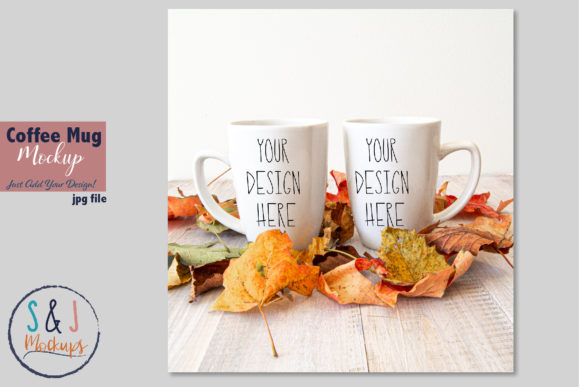
Summer Coffee Mug Mockup: Display Your Design Simply
If you create custom mug designs, you know the challenge of making them look real. A flat PNG file on a white background rarely does justice to your work. Customers and followers want to see your design in a natural setting, as if they are holding the mug themselves. The Summer Coffee Mug Mockup Cup Photo solves this problem beautifully. It is a ready-to-use digital product that transforms your flat artwork into a lifestyle product photo in minutes. Whether you are an Etsy seller, a print-on-demand creator, or a social media manager, this mockup gives you a realistic presentation without requiring a photography studio or complex 3D software.
A Closer Look at This Digital Product
This mockup package is designed with simplicity and quality in mind. You receive one high-resolution JPG image at 300 DPI, sized at 3600 x 2400 pixels in RGB color mode. This resolution is perfect for sharp social media posts, detailed product listings, and even print catalogs. Alongside the JPG, you get a PSD file built around a single smart object layer. This smart object is the key to the entire process. You do not need to worry about clipping masks, layer masks, or complex shadow effects. The file also works with Pixlr, a free online photo editor, so you are not locked into owning expensive software. An easy instruction guide in JPG format walks you through every step, making it accessible even if you have never used a smart object before.
One of the most important technical features is the Multiply blend mode applied to the smart object. In simple terms, Multiply allows your design to adapt naturally to the mug’s curves and lighting. The darker shadows on the ceramic will darken your design accordingly, creating a realistic printed-on look. You get professional results without needing to understand advanced Photoshop techniques.
Why the “Real Photo” Scene Matters
A standout characteristic of this Summer Coffee Mug Mockup is that it uses a genuine photograph. The cup and the background exist on the same layer. This means the scene is locked; you cannot move the mug or replace the background independently. While this might sound like a limitation, it is actually a major advantage for most users. The lighting, textures, and backdrop have already been carefully chosen and composed. There is no guesswork. Your only task is to place your design into the smart object. This approach removes the burden of scene building and lets you focus entirely on showcasing your artwork. For busy entrepreneurs and creators, this efficiency is invaluable. It turns a potentially time-consuming task into a five-minute workflow.
Who Benefits Most from This Mockup?
- Small Business Owners and Etsy Sellers. Updating your shop with seasonal images is crucial for staying relevant. This mockup allows you to quickly swap designs for summer launches, holiday promotions, or new collections. You can test different artworks without printing physical samples.
- Social Media Managers and Bloggers. High-quality visuals are essential for platforms like Instagram and Pinterest. A beautifully styled mug photo stops the scroll and encourages engagement. Use it to promote a summer recipe, announce a giveaway, or simply beautify your feed.
- Print-on-Demand Creators. Platforms like Redbubble, Teepublic, and Printful benefit greatly from realistic product photography. Shoppers are more likely to purchase when they can see exactly what the final product looks like. This mockup builds trust and increases conversion rates.
- Beginner Graphic Designers and Hobbyists. If you are learning sublimation or surface pattern design, you need a way to present your work professionally. This mockup removes technical barriers. You can produce a stunning portfolio piece on your very first try.
Understanding the “Multiply” Smart Object Layer
The Multiply blend mode is the engine behind the realism in this mockup. When you paste your design into the smart object, Multiply tells the software to combine the color of your artwork with the brightness and texture of the underlying mug photo. Imagine drawing with a marker on a textured ceramic surface. The shadows and highlights of the surface will naturally interact with your marker. Multiply does this digitally. Light areas of your design will become slightly translucent, allowing the mug’s subtle grain and reflections to show through. Darker areas will remain solid but will pick up the cylindrical shading of the mug. The result is a design that looks physically printed onto the object, avoiding the flat sticker appearance common with low-quality mockups. This professional touch elevates your entire presentation without extra work on your part.
Practical Use Cases for Summer Coffee Mug Mockup
You can use this mockup in a wide range of everyday scenarios. For an online shop, it works perfectly as a primary product image or a secondary lifestyle shot. Combine it with summer-themed props in your listing descriptions to create a cohesive brand aesthetic. For social media, pair the mug image with copy about morning routines, gift ideas, or summer traditions. The high resolution ensures it looks crisp on both mobile screens and desktop displays. If you are a freelancer or agency, you can present mug design concepts to clients in a realistic format that helps them visualize the final product. This builds confidence in your abilities and makes approvals faster. Even for personal projects, such as creating a custom gift for a friend, this mockup lets you preview the result before you commit to production.
Getting Started: A Beginner’s Guide to the Smart Object
Using this mockup is straightforward. Here is a simple walkthrough to get you started.
- Unzip the folder. Locate the PSD file, the JPG image, and the help file. Read the instructions first to understand the layer structure.
- Open the PSD. Launch it in Adobe Photoshop CS4 or higher, or upload it to Pixlr online editor. You will see a background layer and a smart object layer.
- Locate the smart object. Refer to the product screenshot showing the smart object outline. It is usually labeled clearly.
- Place your design. Double-click the smart object thumbnail. A new window will open. Drag or paste your artwork into this window. Resize it to fit the canvas, then save the file by pressing Ctrl+S (Cmd+S on Mac).
- Check your result. Close the smart object window. Your design will automatically appear on the mug, perfectly masked and shaded by the Multiply blend mode.
- Export your mockup. Save your final image as a JPG or PNG. It is now ready for your website, social media, or portfolio.
The entire process takes less than five minutes. You do not need to adjust shadows, lighting, or perspective. The mockup does all of that for you.
Important Considerations Before You Download
To ensure this mockup meets your specific needs, keep a few details in mind. The cup and background are on the same layer. This is a real photograph, not a 3D scene with movable objects. You cannot reposition the mug or change the background. If you need a fully editable environment, this might feel restrictive. However, if you value a stunning, ready-to-use scene, this is ideal.
This is a digital product. The physical mug and any artwork shown in the example images are not included in the purchase. You are buying the template itself, which arrives without watermarks. This allows you to use it directly in commercial and personal projects. Also, note that the smart object is set to Multiply. Very light or white designs may become subtle over the lighter areas of the mug. For the best results, use artwork with good contrast and vibrant colors. Reading the included help file before opening the PSD will save you time and clarify any questions about hidden layers or the editing process.
Overall, the Summer Coffee Mug Mockup Cup Photo is a practical tool for anyone who wants to present their designs beautifully. It respects your time, simplifies your workflow, and delivers professional-quality results that help your work stand out in a crowded market.